
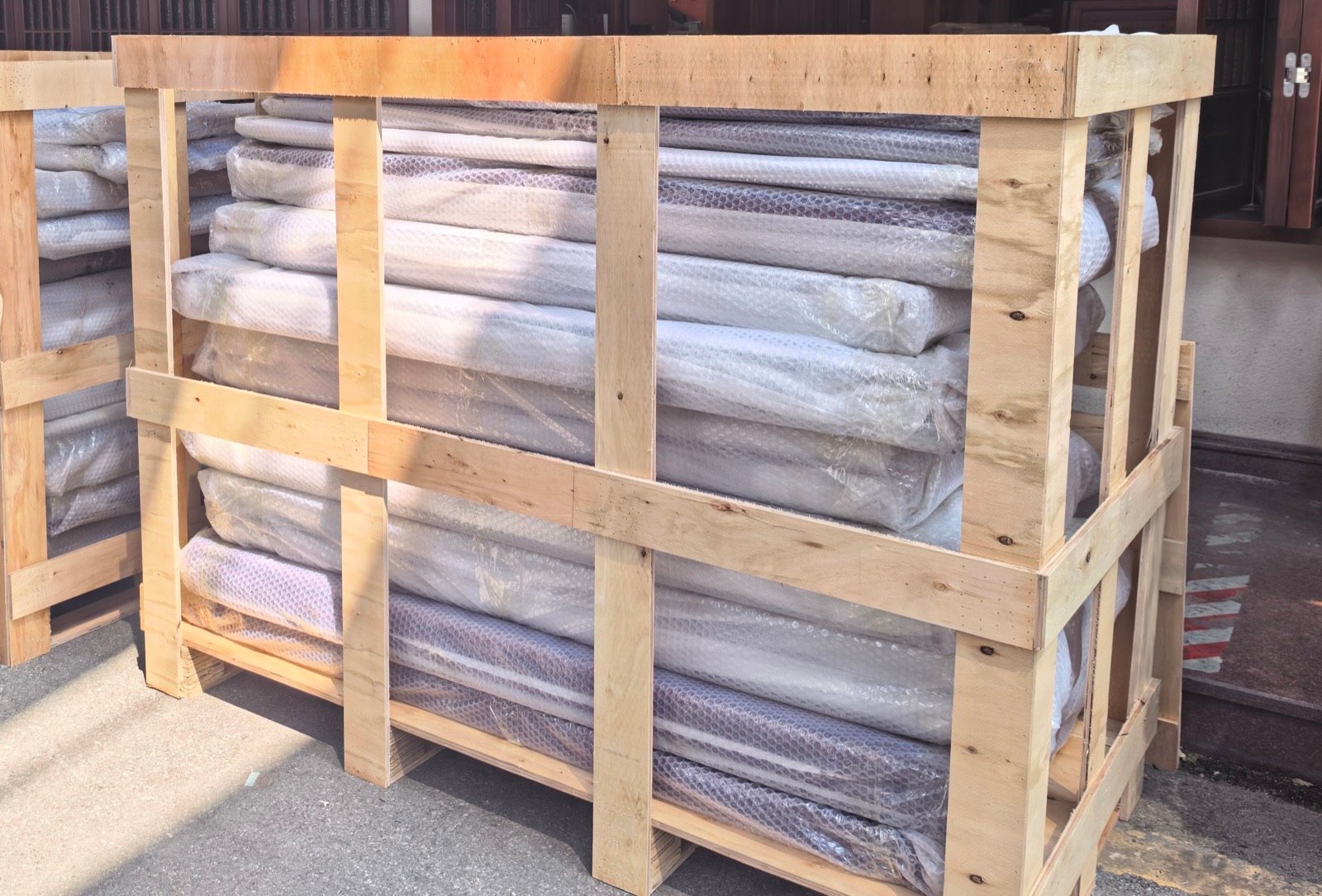
A useful pre-shipment inspection answers a practical question: are the goods being packed the goods your project approved? For a custom door or window order, a photo of a finished frame is only the beginning. The opening reference, dimensions, operation, finish, accessories and package identification need to agree with the same order revision.
Start with that connection. You do not need a large folder of unrelated documents to spot a missing lock set or a door with the wrong handing. You need an agreed reference, a specific check and a record that identifies the item inspected.
Agree on the inspection basis before the products are ready
Send the inspector or supplier one controlled pack: the purchase order, latest accepted drawings, door or window schedule, approved finish reference and packing scope. Identify who can accept a variation and who can authorize shipment. Keep superseded drawings outside the working pack so that an older dimension does not become the inspection standard by accident.
An independent inspection is a service you can arrange when it suits the order. Intertek describes final random inspection as a check of finished goods against contract specifications, including quantity, workmanship, function, color, dimensions and packing. Its loading supervision is a separate check of what is actually shipped. These are different stages, not interchangeable labels. Intertek inspection services
For a custom package, agree whether each critical opening is checked or whether a sampling plan applies. Do not assume that a sampled inspection means every unit was measured. The inspection scope should state what was checked and what was not.
From a catalog image to an inspectable item
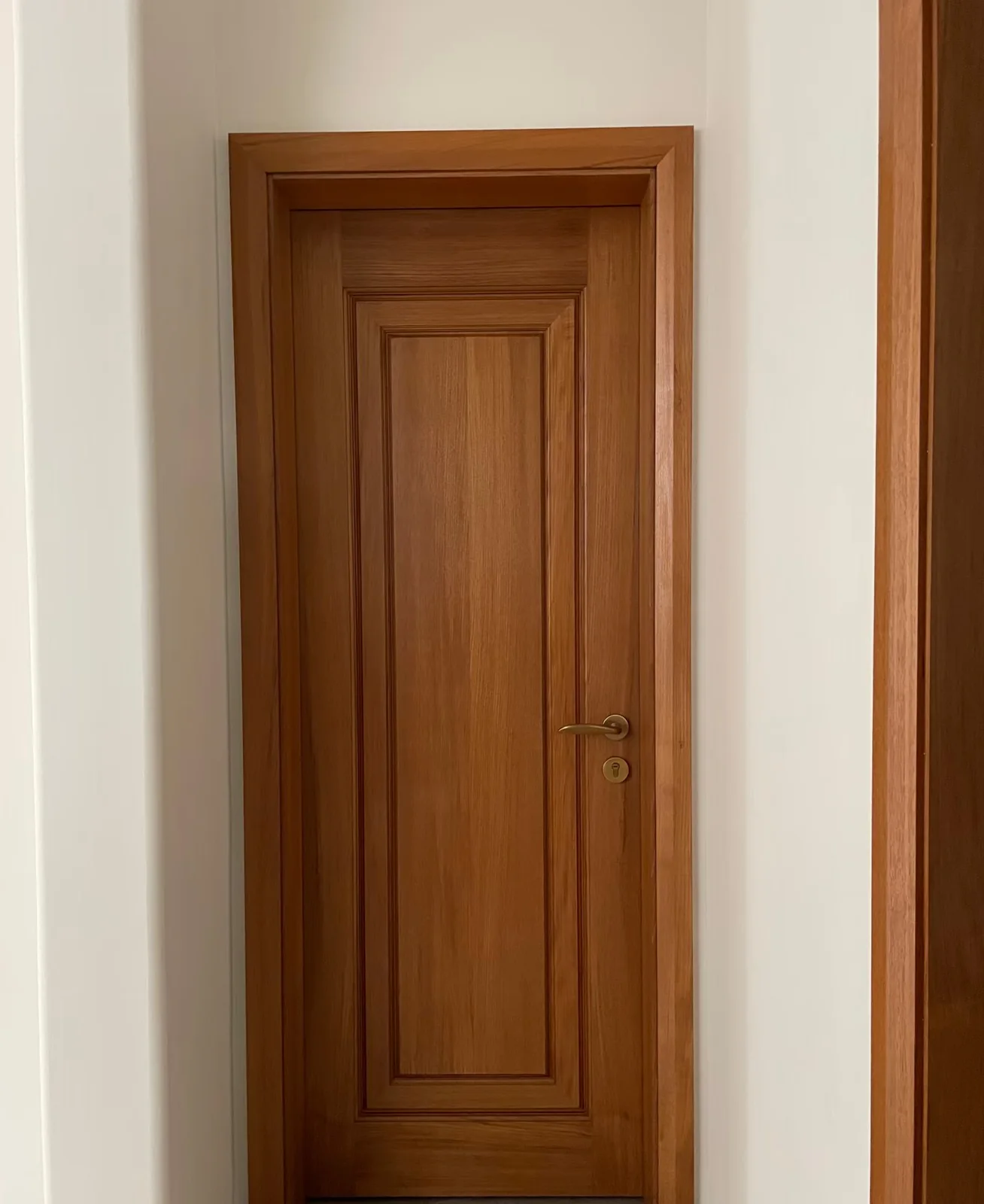

Put these beside the inspection record: the accepted product code, opening ID, drawing revision and included accessories. Then request photographs of the actual ordered unit from the same viewing side.
These are catalog references, not photographs of an inspected shipment or evidence of a completed customer project.
Use one checklist with an opening reference on every row
The table below is a working template. Adapt the checks to the approved product and order; it is not a set of universal dimensional tolerances.
On a small screen, scroll the table horizontally to view all columns.
| Check | Compare against | Useful record |
|---|---|---|
| Identity and quantity | Opening ID, item code and ordered quantity | Item list showing checked and unchecked units |
| Dimensions | Accepted unit dimensions and the stated measurement basis | Labeled measurement record, with the tool and unit visible where practical |
| Operation and handing | Approved elevation and swing or sliding direction | Photo from an identified viewing side; short operation video if agreed |
| Frame, leaf or sash | Accepted system and construction description | Item identification and relevant visible details |
| Finish and glazing | Approved finish reference and glass description | Close views plus wider views identifying the unit |
| Hardware and accessories | Included handles, locks, hinges, screens and loose parts | Counted accessory list tied to the opening ID |
| Packing | Agreed protection, package marks and shipment grouping | Packing photos and a package-to-item list |
An opening ID matters most when similar-looking units have different requirements. Two black windows may differ in opening direction, glass specification or quantity. A photograph labeled only “black windows finished” cannot tell the site team which unit it shows.
Check operation without losing the specification
Ask for records of the checks included in the agreed scope. For an operable unit, that may include opening, closing, locking and the presence of specified accessories. Identify the viewing side when discussing left and right. A simple annotated elevation is often clearer than a message saying “the handle is on the wrong side.”
Do not substitute a factory operation video for the installation instructions. Some final adjustments depend on the installed condition. Keep those responsibilities visible in the order and handover information.
The same distinction applies to performance. A visual check can document visible damage or a missing component; it does not establish an energy, impact or fire rating. Where the project already specifies a performance requirement, review its matching documentation separately. Our window specification guide explains how to match a quoted configuration to supporting information.
Read a material document separately from an inspection record
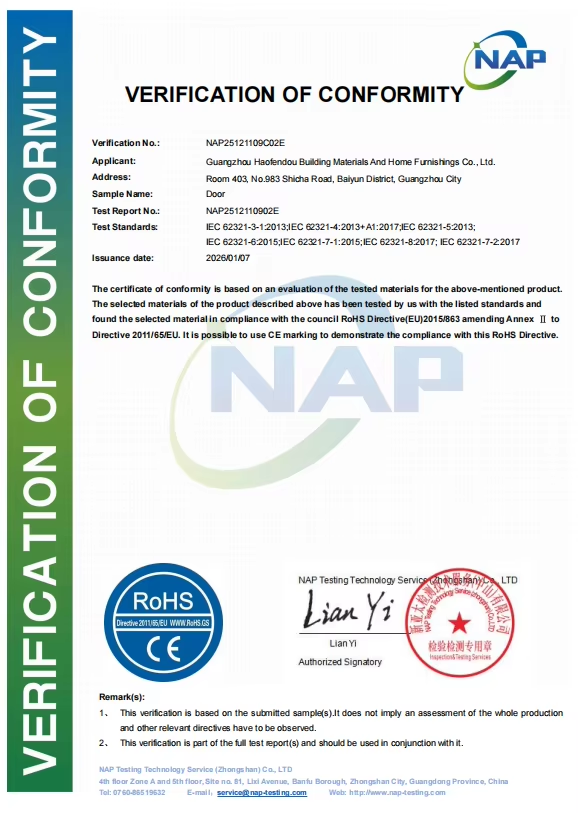
What the document identifies
- Sample name: Door
- Verification: NAP25121109C02E
- Test report: NAP2512110902E
- Issued: 7 January 2026
Its remarks limit the verification to submitted samples and say it should be used with the full test report.
It is a material document for a submitted sample, not a shipment inspection report or a performance rating.
Record a discrepancy so someone can close it
“Please fix the door” leaves too much open. A discrepancy record should name the item, the accepted requirement, what was observed, the requested resolution and the person responsible for confirming the result.
Illustrative example — not a HARDWORKING order:
On a small screen, scroll the table horizontally to view all columns.
| Field | Example entry |
|---|---|
| Opening | D-04, first-floor corridor |
| Approved reference | Door schedule revision C and accepted elevation |
| Observation | Accessory box contains one handle set; the packing list assigns two sets to this package |
| Requested action | Reconcile the box contents with the approved order and correct the quantity or the packing record |
| Closure evidence | Updated itemized record and photo identifying D-04 and the accessory box |
| Release decision | Assigned project representative reviews the response before releasing this item |
This example deliberately avoids inventing a tolerance or assuming which document is wrong. The discrepancy may be a missing accessory or an incorrect packing list. The response needs to establish which, then leave a traceable correction.
Keep the original observation alongside the correction. Replacing the first photo with a new photo removes the history that explains what changed.
Connect inspected items to packages and loading
Before loading, reconcile the approved item list with the packing list. Identify which openings are inside each crate or package, where loose accessories are packed, and which items belong to each shipment phase. If an item is held back, record it as an exception rather than allowing the site team to discover the shortage during installation.
SGS describes pre-shipment inspection as verification against agreed quality, technical and contractual requirements. That makes the written scope important: inspection should be tied to the requirements of this shipment, not to a generic claim that everything has been “quality checked.” SGS pre-shipment inspection
Agree who records loading and who checks the received goods at the destination. Keep the receiving team’s contact process and damage-reporting instructions in the handover pack. Do not wait until the container arrives to decide where the packing list is stored.
A small handover pack that stays usable
One folder can be enough if its records are organized:
- The accepted order and drawing revision.
- The completed inspection record, including its scope and unchecked items.
- Item-labeled photographs or videos that were agreed for the review.
- Open discrepancies, resolutions and the release decision.
- The packing list, package identifiers and accessory locations.
- Product instructions and any project-required supporting documents.
Give the folder a revision date. If a unit is replaced or a package changes after inspection, update the affected records and identify what needs another check.
Questions buyers often ask
Is a photo review the same as an independent inspection?
No. Photos can support a remote review, but the review only covers what the records show. An independent inspection has its own agreed scope, method and report. Choose the approach against the order rather than treating the terms as equivalent.
Do I need to check every custom opening?
Agree the scope before the visit or review. A repeated batch and a package of different custom openings present different checking tasks. Record whether dimensions, quantities or other points were checked for every item or on a sample.
What should I do if a discrepancy remains open?
Assign an owner, request specific closure evidence and record the decision for the affected item. Do not describe the shipment as fully accepted while leaving the exception invisible.
Prepare the review around your actual order
HARDWORKING’s factory and order support starts with product-specific references and confirmed order information. Share the door or window schedule, quantities, accepted drawings and checking points you want discussed. The scope of available support is confirmed for the project.
Ready to organize your project requirements?
Share drawings, quantities, room sizes or reference images through the project inquiry form.